What changes when you unfold iPhone Duo
iPhone Duo has two screens: a phone-sized outer screen you use folded, and a much wider inner screen when you open it. An app that only knows phone layouts shows a stretched or narrow column on the inner screen. DiveAtlas 1.3.2 lays out its main screens again for the inner screen, so the extra width shows more of your dive history instead of empty margins.
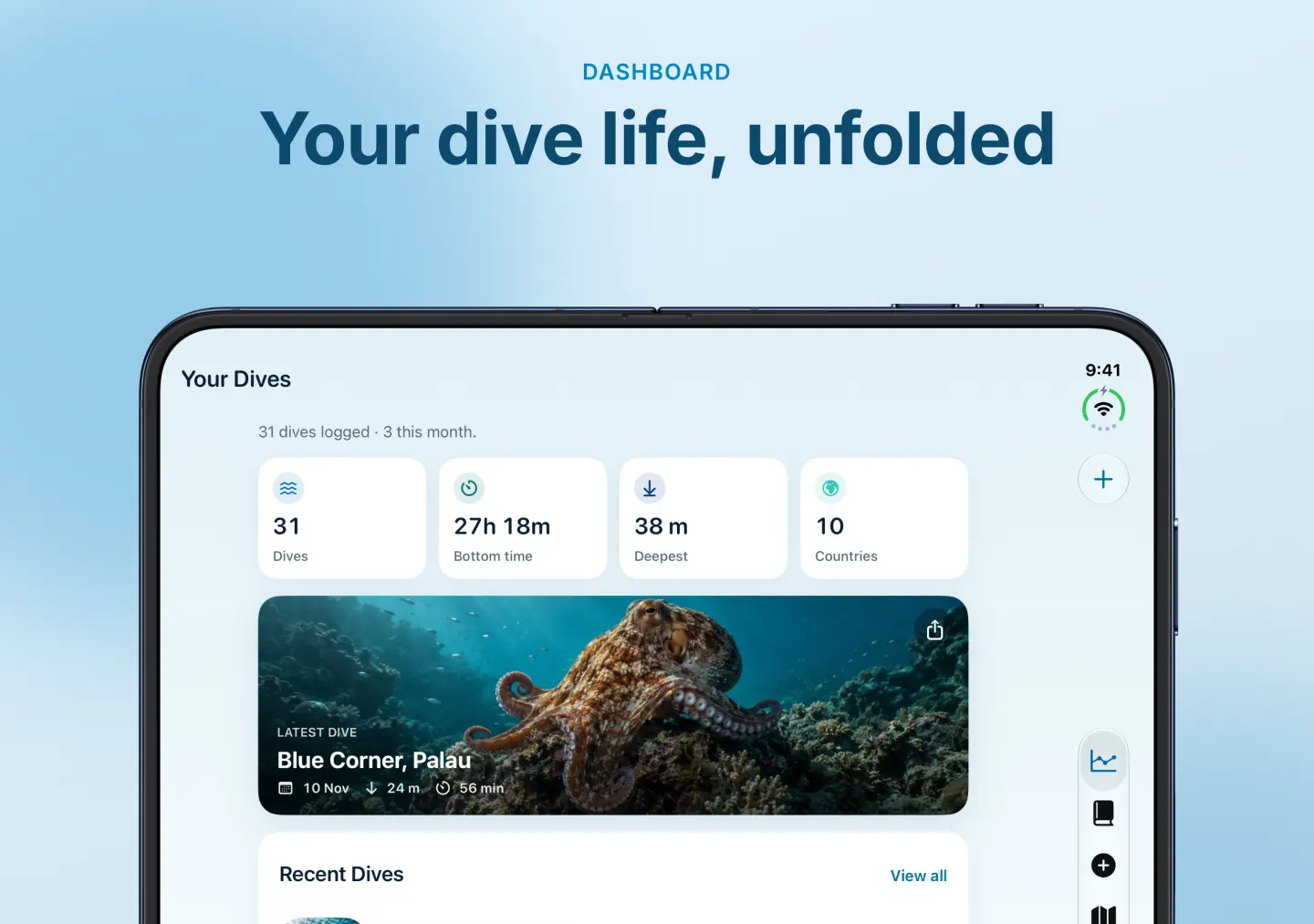
The dashboard is the quickest place to see the difference. Folded, its four stat cards (Dives, Bottom time, Deepest, and Countries) sit in a two-by-two grid. Unfolded, they line up in a single row above your latest dive, with your recent dives below.
- Dashboard: stat cards in one row, latest dive and recent dives below
- Logbook: a wider list with search and sorting at the top
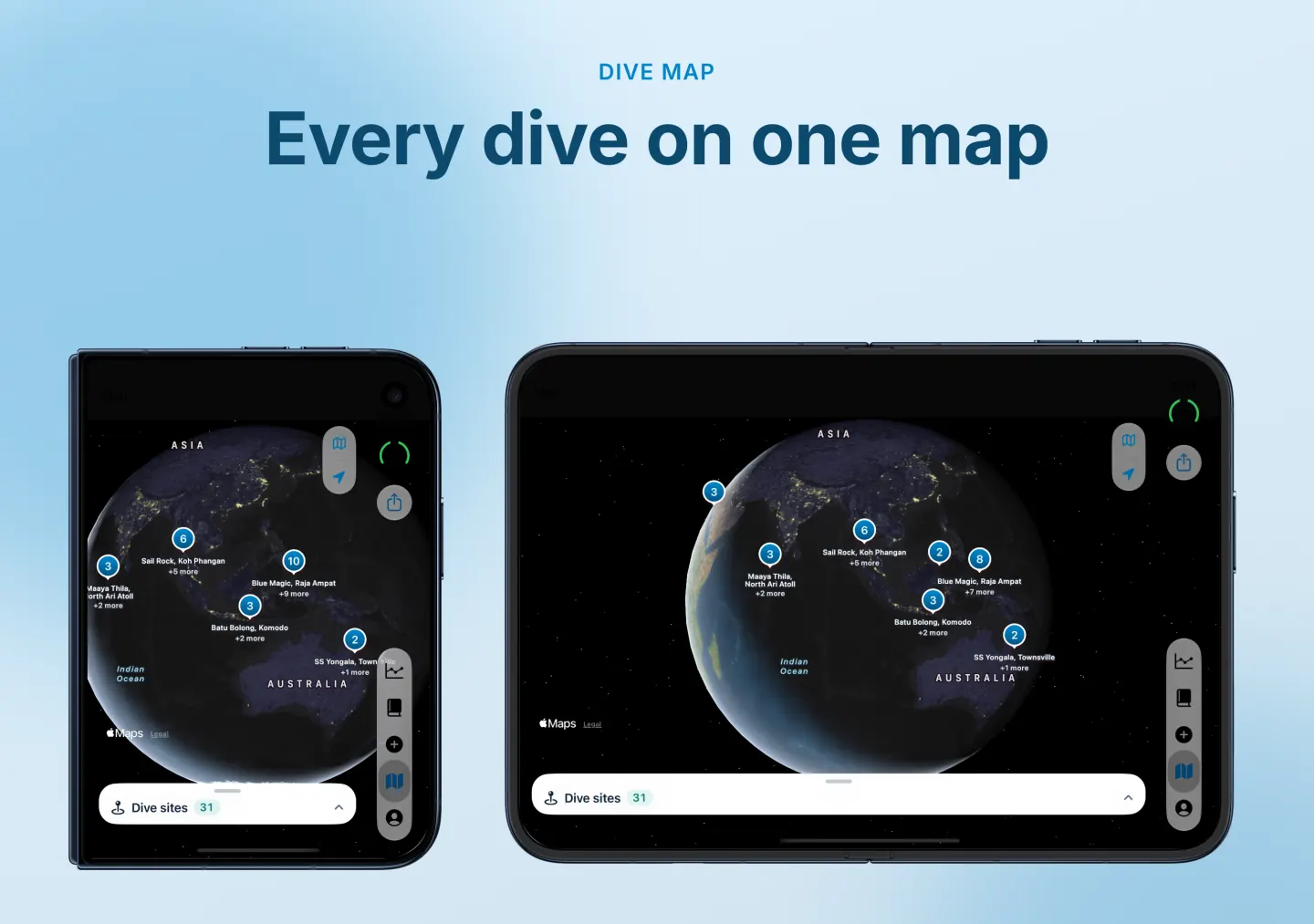
- Dive map: a larger map of every pinned dive site
- Dive Insights: depth over time and dive frequency charts drawn wider
- Share cards and the Pro screen: laid out for the inner screen
Folded: the outer screen works like any iPhone
You do not have to unfold the phone to use DiveAtlas. On the outer screen the app uses its normal iPhone layout, with the same dashboard, logbook, map, and Log a Dive form you would see on any other iPhone. That suits a wet boat deck or a quick entry between dives, when opening the phone is one step too many.
Both screens show the same app on the same phone, so they always show the same logbook. A dive you save folded is there when you unfold, and there is nothing to sync between the two screens.
Logging and reviewing dives unfolded
Logging works the same way on both screens. The Log a Dive form starts with the essentials (site or location, date, maximum depth, and duration) and lets you open optional sections for photos, marine life, buddies, gear, gas, and conditions when that dive needs them.
Where the inner screen helps most is reviewing. The logbook shows more dives at once, grouped by month, with search across sites and buddies and sorting by date, depth, duration, site, buddy, or country. Open a dive for its full record: site, conditions, equipment, notes, photos, and marine life.
For a routine that keeps those records consistent from dive to dive, see how to keep a scuba dive log.
Your dive map and insights on the big screen
Every dive saved with coordinates becomes a pin on your personal dive site map, with standard or satellite views and a Dive sites list you can pull up from the bottom. On the inner screen the map gets almost the whole display, which makes it easier to see a whole region, such as all your sites across Southeast Asia, without zooming in and out.
Dive Insights, part of DiveAtlas Pro, plots depth over time and a 12-month dive frequency chart. The wider screen gives both charts more room, so busy seasons and long gaps are easier to read. The stat cards, latest dive, and recent dives stay available on the Free tier.
Scan a paper logbook page into a dive
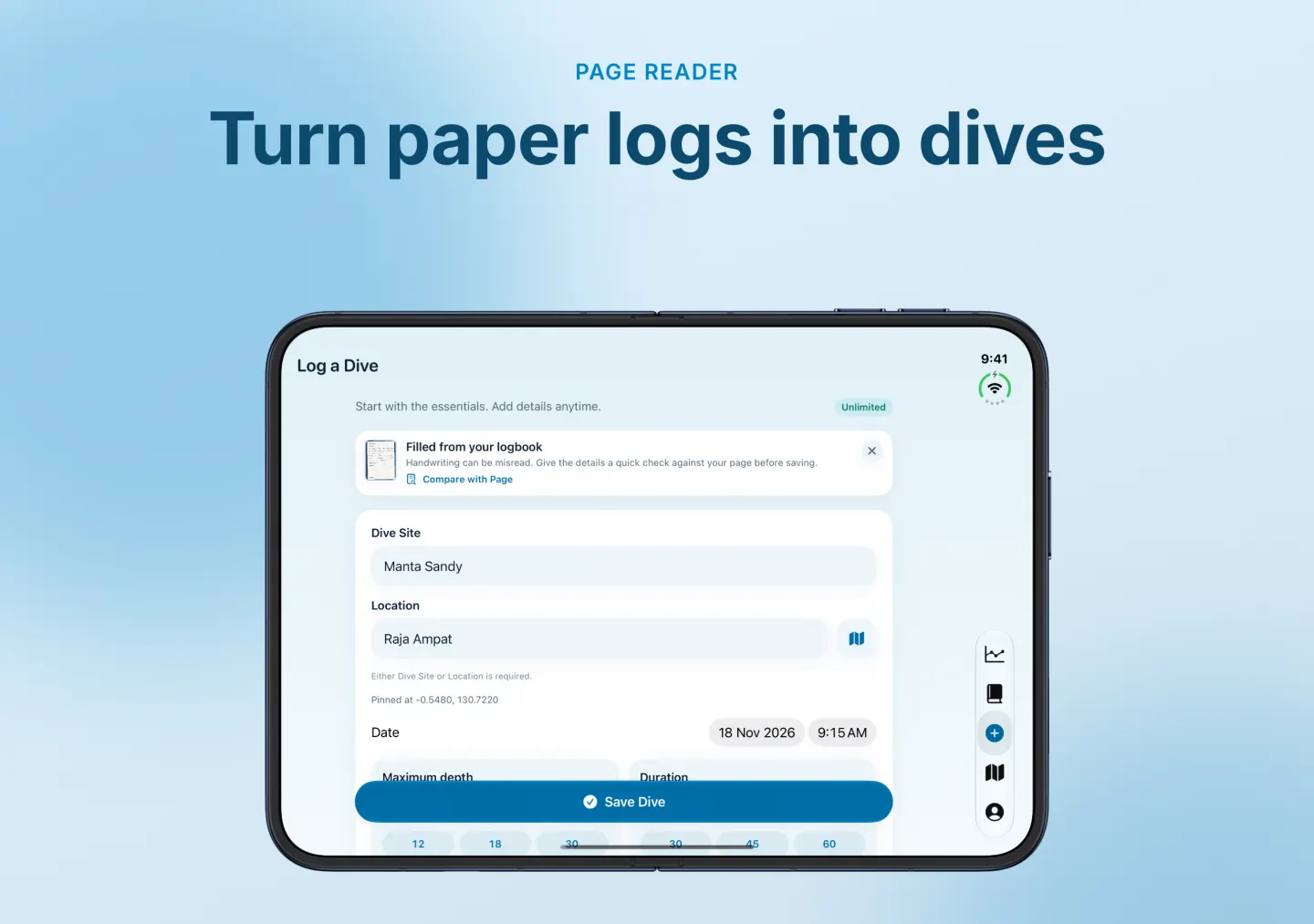
Version 1.3.2 also adds logbook page scanning. On the Log a Dive form, tap Scan logbook page, then photograph the page where you wrote the dive (or choose a photo you already took). DiveAtlas reads the handwriting and fills in the form: fields such as dive site, location, date, maximum depth, duration, and, where they are written on the page, tank pressures, temperatures, visibility, weight, and comments.
The page is read on your iPhone and never uploaded. Handwriting can be misread, so nothing is saved until you check it: a Filled from your logbook notice asks you to compare the details with your page, and Compare with Page opens the photo of your page so you can check each value. If the app could not read the date, depth, or duration, it tells you to set that value before saving.
Moving dozens of old dives at once? Typing them into the free dive log spreadsheet template and importing the CSV can be faster than scanning page by page.
- Scan one page per dive, the page where you wrote that dive
- Use bright light and keep the whole page in the frame
- Check every value against the page before you tap Save Dive
Share a dive, trip, milestone, or species list
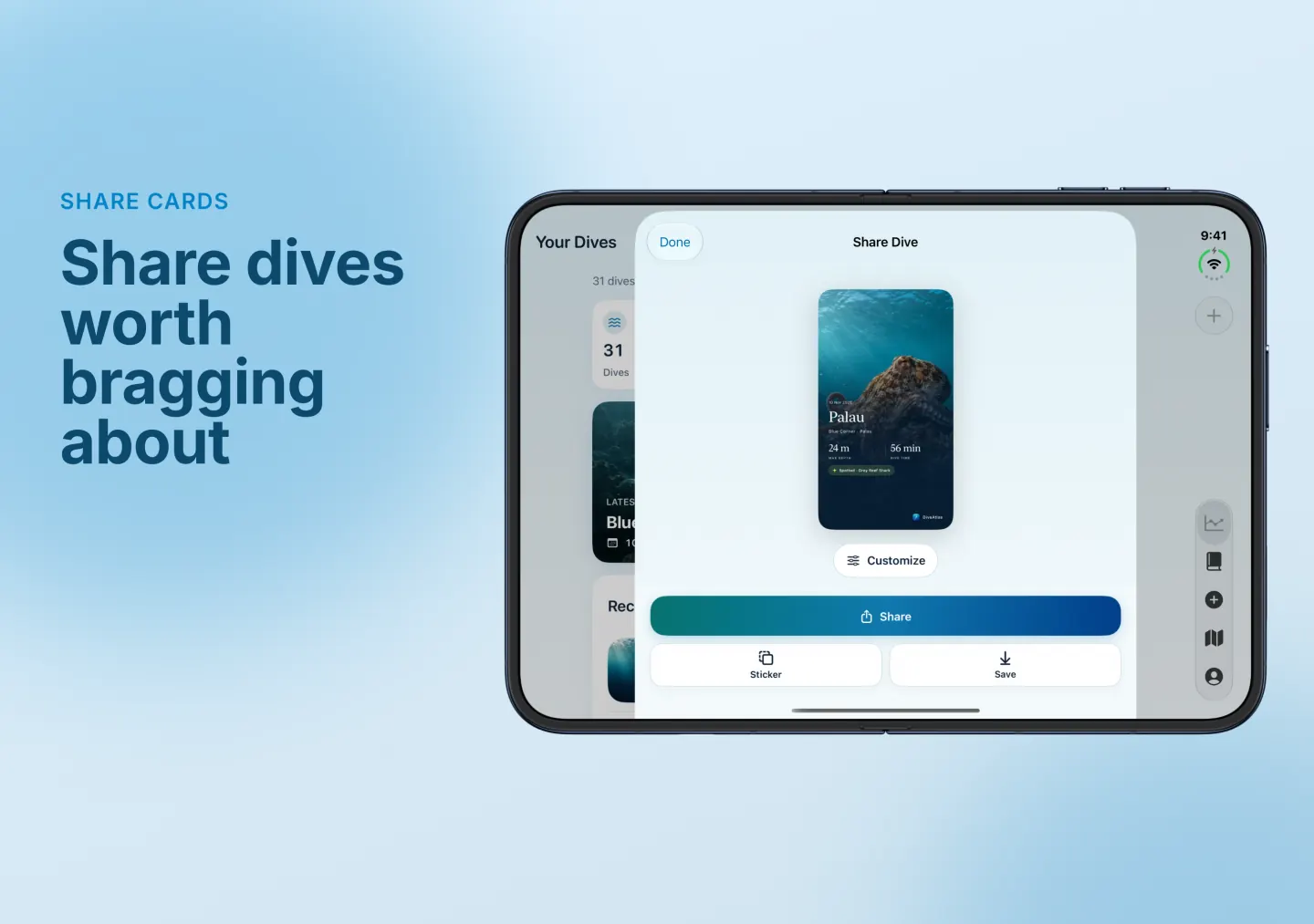
The new share cards turn your records into images. Share a single dive, a whole trip, a milestone, or your species list as a story, a post, or a sticker. You can customize the card, then share it or save it to Photos. Only the image you choose to share leaves the app.
On the inner screen the share sheet shows the card preview at a comfortable size next to the Share, Sticker, and Save buttons.
How to get the iPhone Duo layout
Install DiveAtlas from the App Store, or update it to version 1.3.2 or later. There is no setting to turn on: unfold the phone and the app switches to the inner-screen layout, fold it and the app returns to the iPhone layout.
Your log stays on your device by default. If you also want a copy off the phone, turn on optional iCloud Backup in Profile; it keeps a private backup with your Apple ID that you can restore on another iPhone or iPad.
