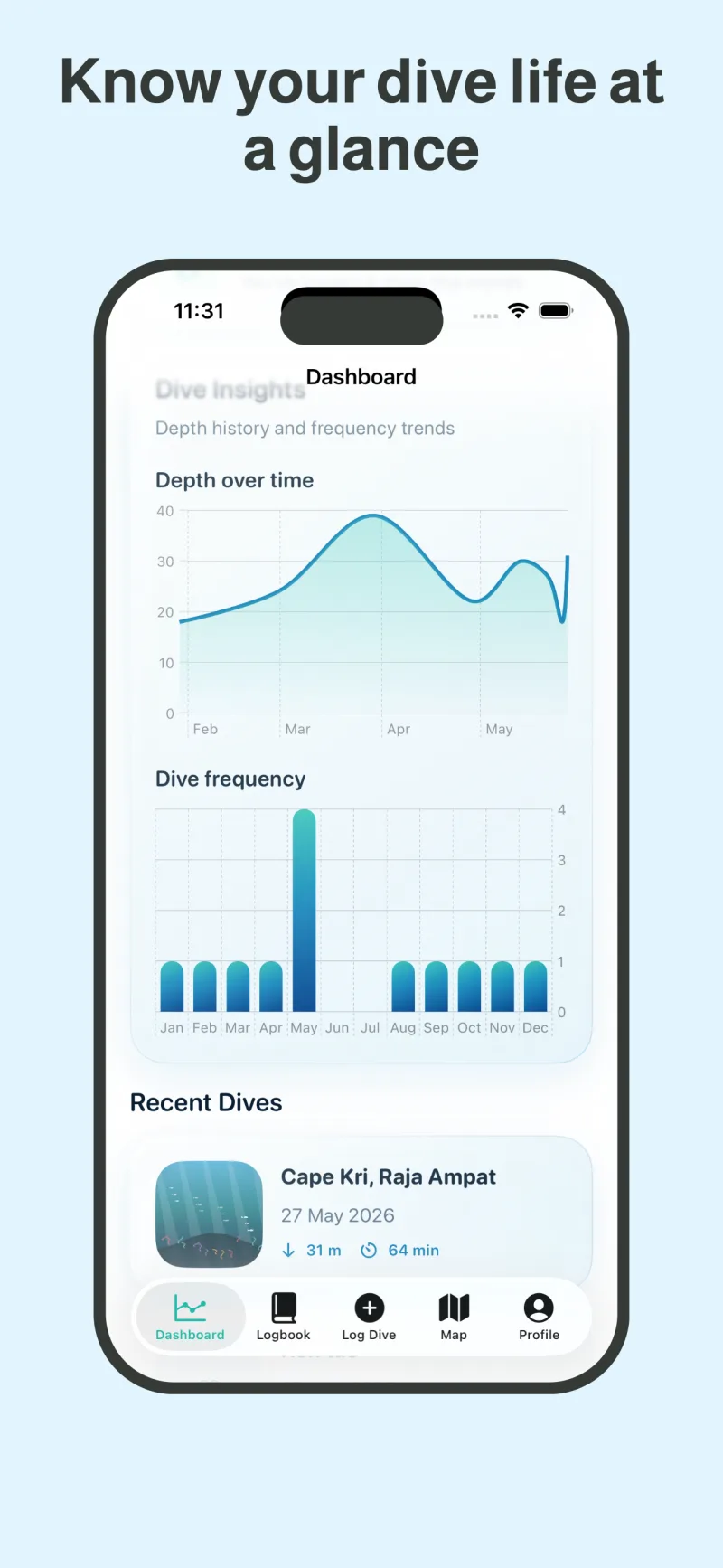
What the DiveAtlas dashboard shows
The dashboard opens with four stat cards built from your saved logbook: Dives, Bottom time, Deepest, and Countries. Below them, DiveAtlas shows your latest dive, your five most recent dives, and a running line such as how many dives you have logged in total and this month.
- Total dives logged
- Total bottom time across every saved dive
- Deepest recorded dive, shown in your chosen depth unit
- Number of countries in your dive history
- Latest dive and the five most recent dives
Dive Insights: depth over time and dive frequency
Dive Insights is the Pro chart area of the dashboard. Depth over time plots the maximum depth of your most recent dives as a line, so you can see whether recent diving has been shallower or deeper. Dive frequency is a bar chart of how many dives you logged in each of the last 12 months, which makes busy seasons and long gaps easy to spot.
On the Free tier, the same area shows a Pro preview of these charts. The stat cards, latest dive, and recent dives stay available on Free.
How do I see my deepest and longest dives?
DiveAtlas shows your deepest dive on the dashboard. In Profile, Your Dive Highlights lists your milestones (total dives, deepest dive, and longest dive) alongside your top locations and buddy history, so your personal records sit in one place.
Can I sort my dive history by depth, duration, site, or buddy?
Yes. The logbook can be searched and sorted newest or oldest first, by depth, by duration, or alphabetically by site, buddy, or country, so you can go from a number on the dashboard to the dives behind it. Every dive keeps its site, conditions, equipment, notes, photos, and marine life, so the context behind a stat is one tap away.
If older dives live in a spreadsheet or another logbook, you can import that dive history from a CSV file; imported dives are saved to the same logbook, so they count in these stats too.
Personal history, not a safety recommendation
DiveAtlas reports information from the dives you record. Its summaries are for personal logging and reflection. They do not replace a dive computer, formal training, professional instruction, or established dive-planning procedures.
The same goes for the gas figures on a single dive record: read what SAC and RMV mean in a dive log and why they are a personal trend from the values you enter, not a gas plan.
